Hours and payroll
Employees log their hours in the app while they are on the job. You approve them, and only what you have approved goes on to payroll. Friday’s pile of timesheets disappears.
Everything is included in the price.
From timesheet to payroll run
Hours are logged once, on the job. From there they are used for payroll, contribution margin and invoicing.
Hours are logged on the job
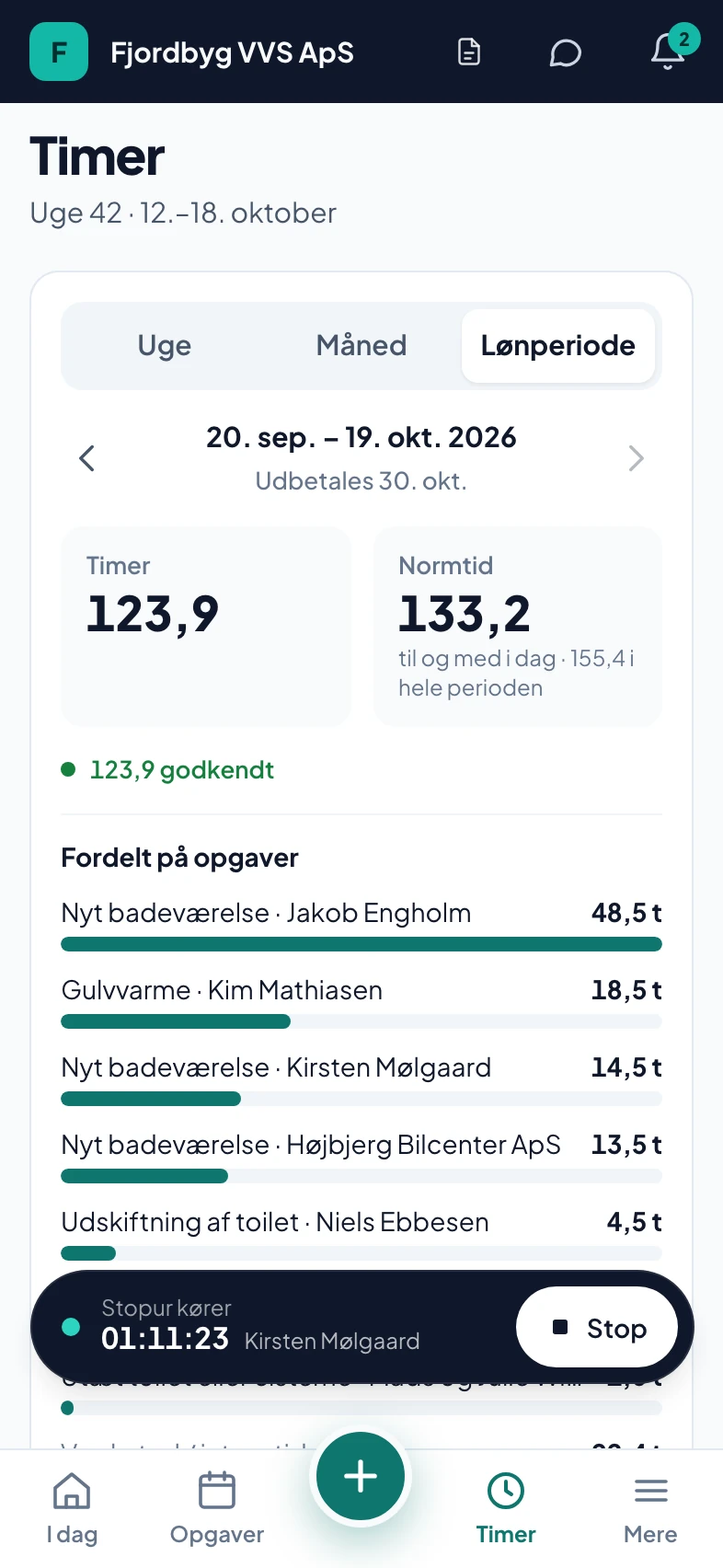
The employee starts the clock in the app when he gets going. The clock runs on our server, so it keeps going even if the phone locks or the app is closed. If he takes a break, he taps pause. He can also enter the hours afterwards.
- Clock
- Keeps running when the app is closed
- Pause
- Pause and resume with one tap
- No signal
- Saved on the phone and sent when there is coverage
- Closed jobs
- Hours cannot be logged on a finished or invoiced job
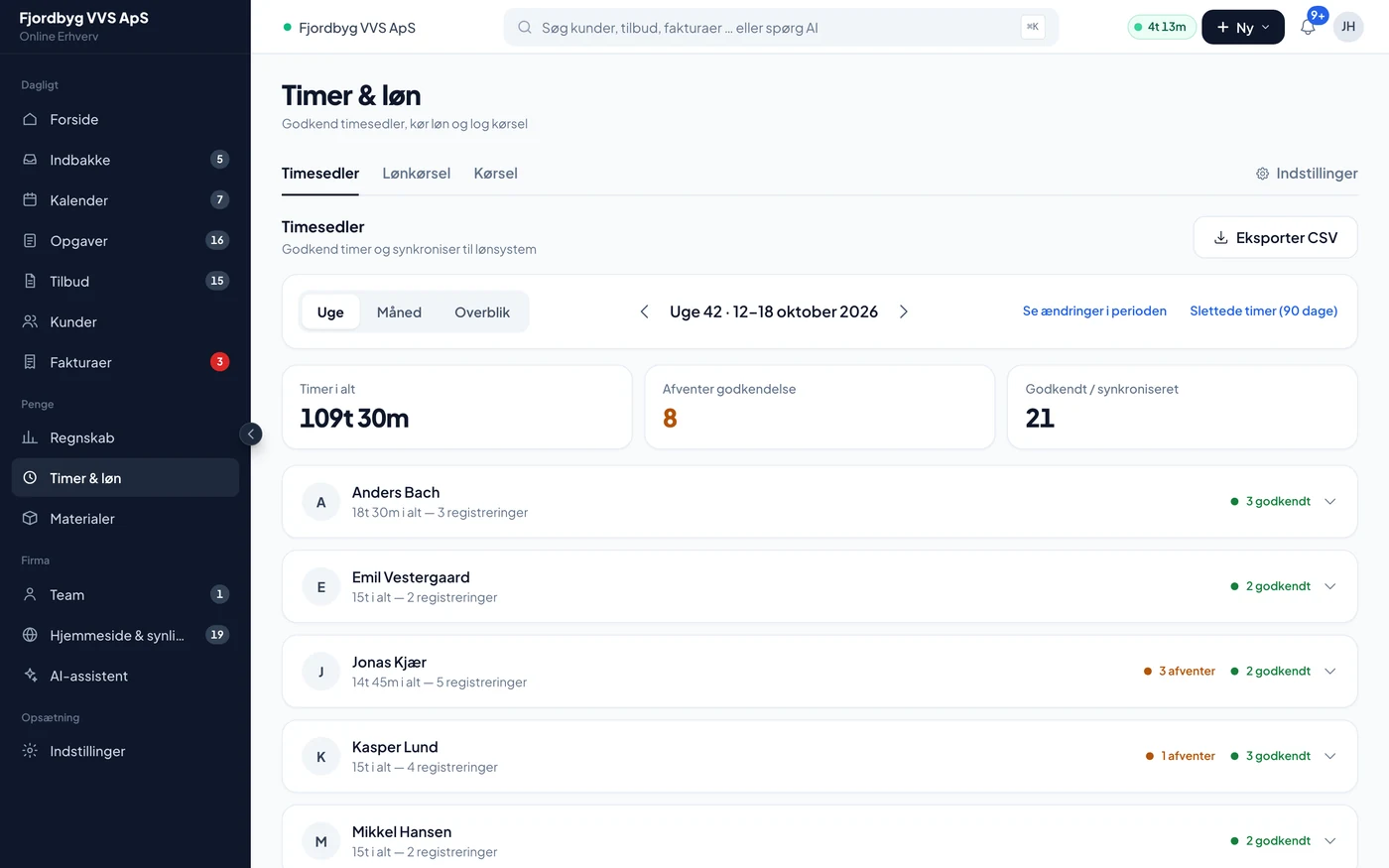
You approve before it becomes pay
The week’s hours are gathered per employee. You approve or reject. Only approved hours go into payroll. Hours that are waiting are shown as not included, so nothing disappears.
- Approved
- Goes into payroll
- Rejected
- Goes neither into payroll nor onto an invoice
- Late entries
- Approved hours from an earlier period are shown, so they are not forgotten
Payroll run and export
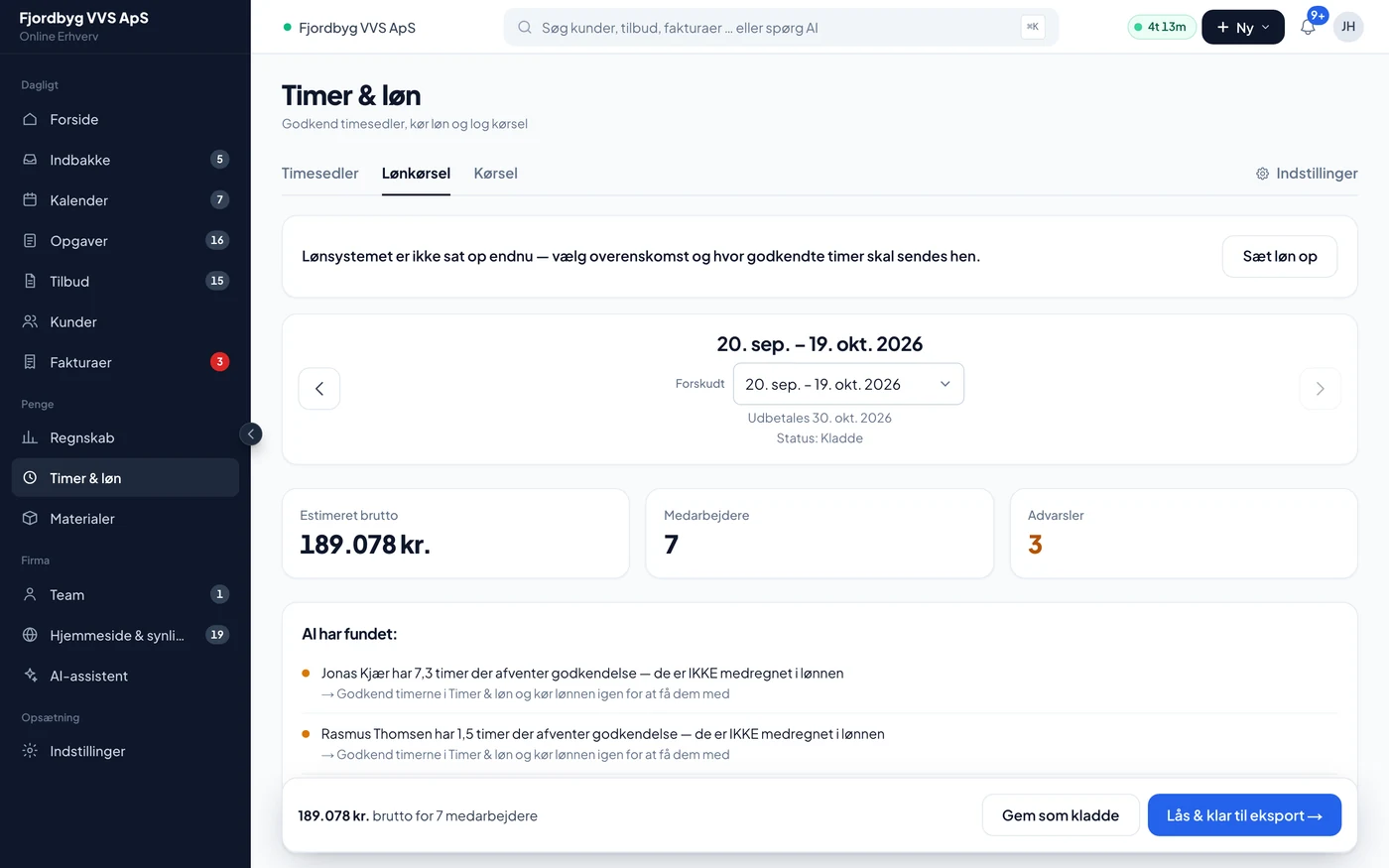
The pay period follows your agreement: calendar month, every 14 days or, for example, from the 20th to the 19th. Once the period is approved, you send it straight to Salary.dk. If you use Danløn or DataLøn, you get a file in their format. Otherwise CSV or PDF, or an email to your payroll bureau.
- Salary.dk
- Sent directly from the app
- Danløn, DataLøn
- A file in the system’s format
- Other
- CSV, PDF or an email to the payroll bureau
Rates, supplements and overtime
Each employee has a type, skilled worker, apprentice or salaried, with their own rates. Overtime, piecework, supplements such as dirt and asbestos, sick pay, pension, holiday pay, the free-choice account and SH are included. The final pay with income tax (A-skat) and labour market contribution (AM-bidrag) is done by your payroll system.
- Overtime
- Rates per company or per employee
- Apprentices
- The apprentice year moves up by itself
- Piecework
- Follow the piecework on the job as you go
Mileage at the right rate
Mileage is logged per trip and job and calculated at 3.94 DKK per km, which is the Danish Tax Agency’s (SKAT) rate for 2026. You can change the rate yourself. Mileage is booked in your accounts in one go once a month.
- Rate
- 3.94 DKK per km by default
- Invoice
- Mileage can also be added to the customer’s invoice
Holiday, absence and the paperwork
Holiday, sickness and time off have a balance, and holiday is earned every month. The employment contract is drawn up from pay and terms with the collective agreement you follow. When someone leaves, the app produces a final settlement, and the employee’s login is closed after their last day.
- Collective agreements
- 3F, TEKNIQ, Malerlauget, Dansk Metal and DI Funktionær
- Final settlement
- G-days, notice, remaining holiday, free-choice account and SH
- Working time
- Checks of 11 hours’ rest, 48 hours a week and breaks
How it works day to day
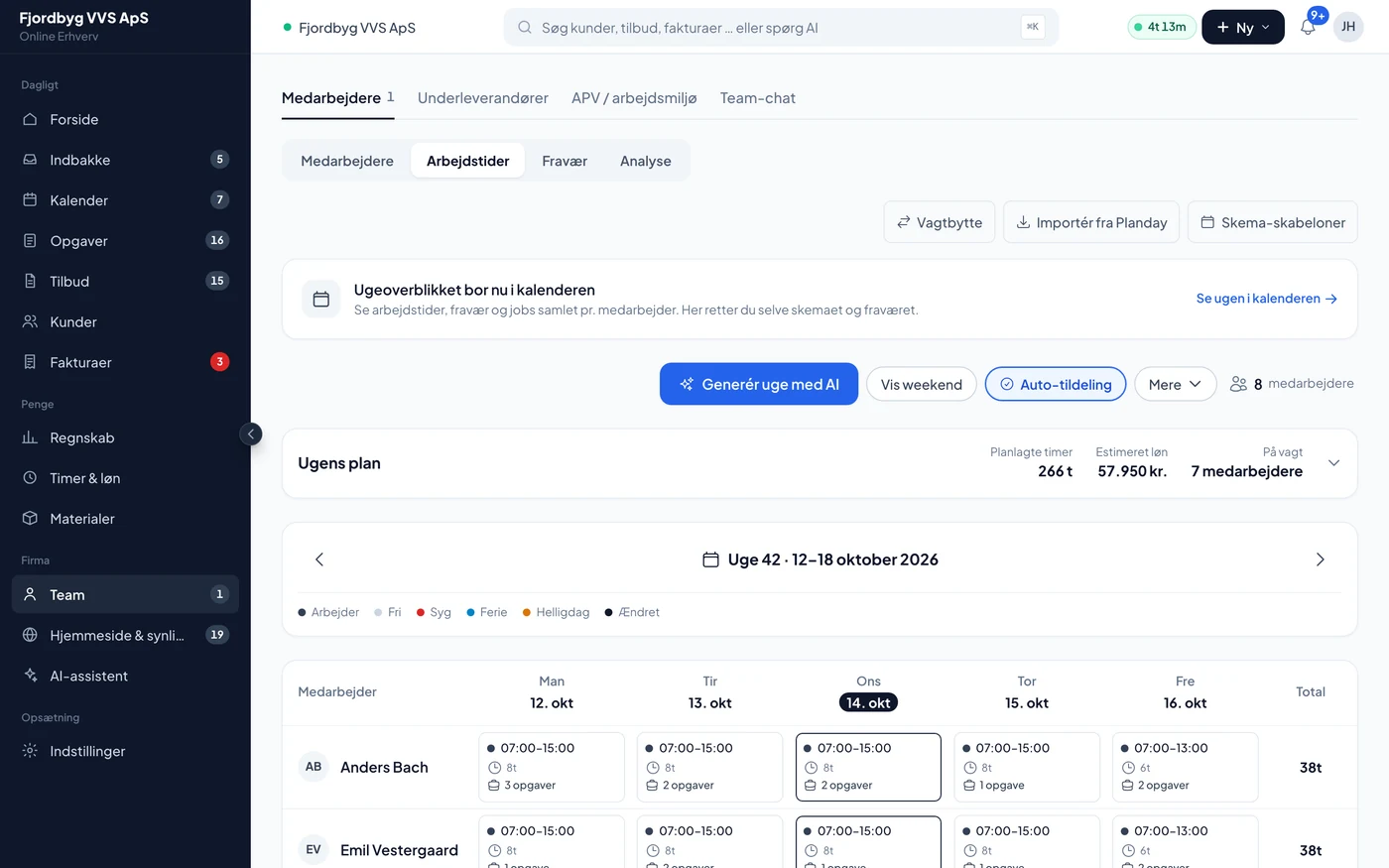
A week with three skilled workers and an apprentice.
- Monday morningYour employees start the clock on the day’s first job from the app.
- During the weekHours, breaks and mileage land on the jobs. If they lose signal in a basement, it is saved on the phone.
- FridayYou go through the week’s hours per employee and approve. Anything that looks wrong, you reject.
- At the end of the periodThe payroll run gathers the approved hours, supplements and mileage for the period.
- PayrollYou send the period to Salary.dk or download the file for Danløn or DataLøn.
- The employeeSees his expected pay and his holiday balance under My pay in the app.
Also included
What belongs with pay and people.
- Payslip as PDFThe employee can download his payslip or an estimate. An estimate is clearly marked as an estimate.
- Sick paySick pay is included, and you can follow the reimbursement.
- Rota and absenceHoliday requests and sick notes from the app, which you approve.
- PlanningA warning when an assignment would give more hours than the weekly limit.
- Contribution marginPay counts in the job’s contribution margin straight away.
- RolesA co-owner can get access to planning without seeing pay.
What you can count on
What the app does, and what your payroll system still does.
- Only approved hoursNo hour becomes pay before you have approved it.
- No double payA period marked as paid is not paid again.
- The payroll system does the taxIncome tax, labour market contribution and reporting are done in your payroll system or by the payroll bureau.
- Pay is privateEmployees and co-owners without pay access cannot see other people’s pay, not even around the app.
Questions about hours and payroll
If your question isn’t here, call 93 94 12 06.
Which payroll systems does it work with?
Salary.dk receives the period directly from the app. For Danløn and DataLøn you get a file in their format. If you use something else, you can download CSV or PDF or send the period to your payroll bureau by email.
Do hours go into payroll before I have seen them?
No. Only hours you have approved are included. Hours that are waiting are shown as not included.
Can our pay period run from the 20th to the 19th?
Yes. You choose calendar month, every 14 days or a fixed cut-off day.
Does the clock stop if the employee closes the app?
No. The clock runs on the server, so it keeps going until he stops it or takes a break.
Does the app calculate tax and labour market contribution?
No. The app calculates hours, overtime, supplements, mileage, holiday and pension. Income tax, labour market contribution and reporting are done by your payroll system.
Which mileage rate is used?
3.94 DKK per km, which is the Danish Tax Agency’s (SKAT) rate for 2026. You can change it in the settings.
Can the app draw up an employment contract?
Yes, from the employee’s pay and terms and the collective agreement you follow. When someone leaves, it produces a final settlement.
Do hours and payroll cost extra?
No. Hours, payroll and the employee app are included in the price for everyone.