From Ordrestyring to Online Erhverv
Export your customers and jobs from Ordrestyring as a file and import them here. Open quotes, unpaid invoices and past hours can come along the same way.
What you can bring with you
From Ordrestyring to Online Erhverv. Anything that cannot be fetched with an API key, you export as a file.
| Data | From Ordrestyring |
|---|---|
| CustomersName, address, CVR, email and phone. The same customer twice does not become two. | File |
| JobsWith status and price. You choose whether the prices in the file include or exclude VAT. | File |
| Open quotesSent and unsent quotes. Accepted and declined ones are skipped. | File |
| Unpaid invoicesBecome receivables, so you can follow them. They do not get a new number and are not booked again. | File |
| Past hoursMarked as already paid, so they never end up in a payroll run again. | File |
- CustomersOrdrestyring: file
- JobsOrdrestyring: file
- Open quotesOrdrestyring: file
- Unpaid invoicesOrdrestyring: file
- Past hoursOrdrestyring: file
Via API = fetched with your API key. File = export from your current system and import as Excel or CSV.
- There is no connection to Ordrestyring. Everything is moved with a file that you export.
- We have not yet run a real export file from Ordrestyring through it. Feel free to send us yours before you switch.
The import has been tested with our own test files, built like the export files we know. We have not yet run a real export file from Apacta, Ordrestyring or Minuba through it. Feel free to send us your file before you switch, and we will look at it with you.
How to move from Ordrestyring
- Sign upFree for 90 days, without a payment card.
- Export from OrdrestyringPull out customers and jobs as a file, Excel or CSV. If you have open quotes, unpaid invoices and hours, bring them too.
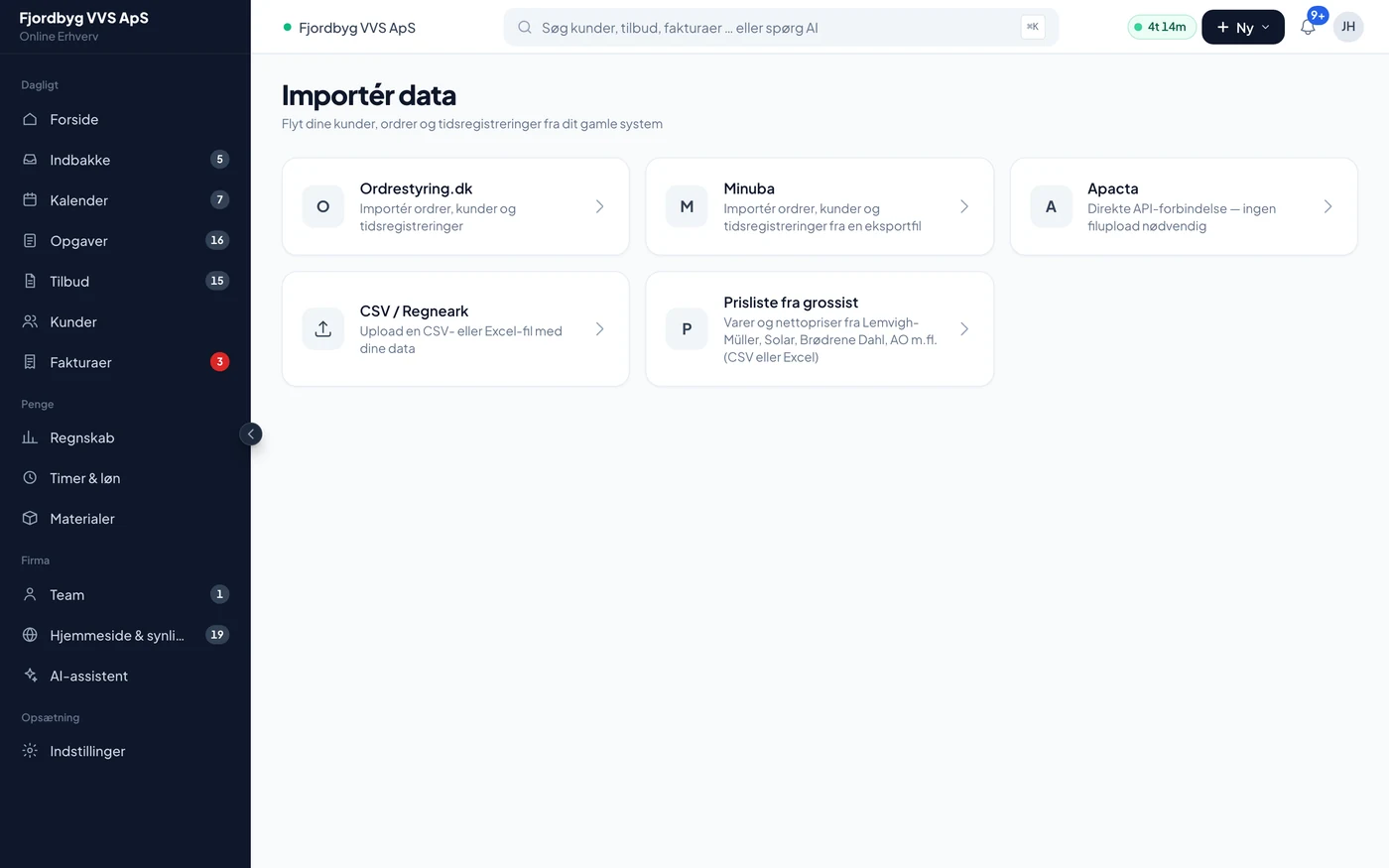
- Import the fileIn Import you choose Ordrestyring. The app guesses the columns, and you correct them before anything is saved.
- Check and correctLook through customers and jobs. If you import the file again after a correction, there are no duplicates.
- Run side by sideUse both systems during the trial until you feel confident about moving.
You see it before it is saved
The app guesses which columns are what. You correct it, choose whether the prices include or exclude VAT, and only then is anything saved.
Ordrestyring and Online Erhverv
Only what is on both companies’ own websites. We have not compared features point by point, so check with them as well.
| Topic | Ordrestyring | Online Erhverv |
|---|---|---|
| Describes itself as | “Ordrestyring er et sagsstyringssystem udviklet til håndværkere” | Software for tradespeople |
| Price | 339 DKK per user per month (standard licence) | 500 DKK/mo for the company + 250 DKK/mo per extra person. Apprentices and young workers are free (up to 2 per company). Everything included. Excl. VAT. |
| Trial | 14 days | 90 days, without a payment card |
| Lock-in | 12 months (standard licence) | No lock-in. Monthly or yearly payment. |
Ordrestyring
- Price
- 339 DKK per user per month (standard licence)
- Trial
- 14 days
- Lock-in
- 12 months (standard licence)
Online Erhverv
- Price
- 500 DKK/mo for the company + 250 DKK/mo per extra person. Apprentices and young workers are free (up to 2 per company). Everything included. Excl. VAT.
- Trial
- 90 days, without a payment card
- Lock-in
- No lock-in. Monthly or yearly payment.
Source: Ordrestyring’s pricing page and website, seen on 6 October 2026. Prices and terms may have changed since. Their quotes are in Danish, as written on their own site. Ordrestyring also has a flexible licence with a shorter lock-in at a higher price. See their pricing page.
How to get started
The first 90 days are free, and you sign up without a payment card. You can run the new system alongside the old one until you feel confident.
- Onboarding call, 20 minutesBook a free 20-minute onboarding call. We look at what you have in your current system and what makes sense to bring with you.
- Onboarding helpIf you want us to set it up and import your data with you, onboarding help costs 2,995 DKK excl. VAT, once. It is free if you pay yearly and are 3 or more people.
- 90 days freeYou sign up without a payment card, and there is no lock-in.
Questions about switching from Ordrestyring
If your question isn’t here, call 93 94 12 06.
Are you connected to Ordrestyring?
No. You export a file from Ordrestyring and import it here. It is a move, not an ongoing connection.
How do I export from Ordrestyring?
It depends on what you want to bring. If you cannot find the export, bring it up on the onboarding call and we will work it out together.
Do I have to stop using my old system straight away?
No. You can run both during the trial and move when you are ready. Check your notice period in the agreement with your current system yourself.
What happens to my data if I stop again?
Your data is yours. You can export it, and if you stop, it is kept for 12 months in case you want to start again.