AI phone and booking
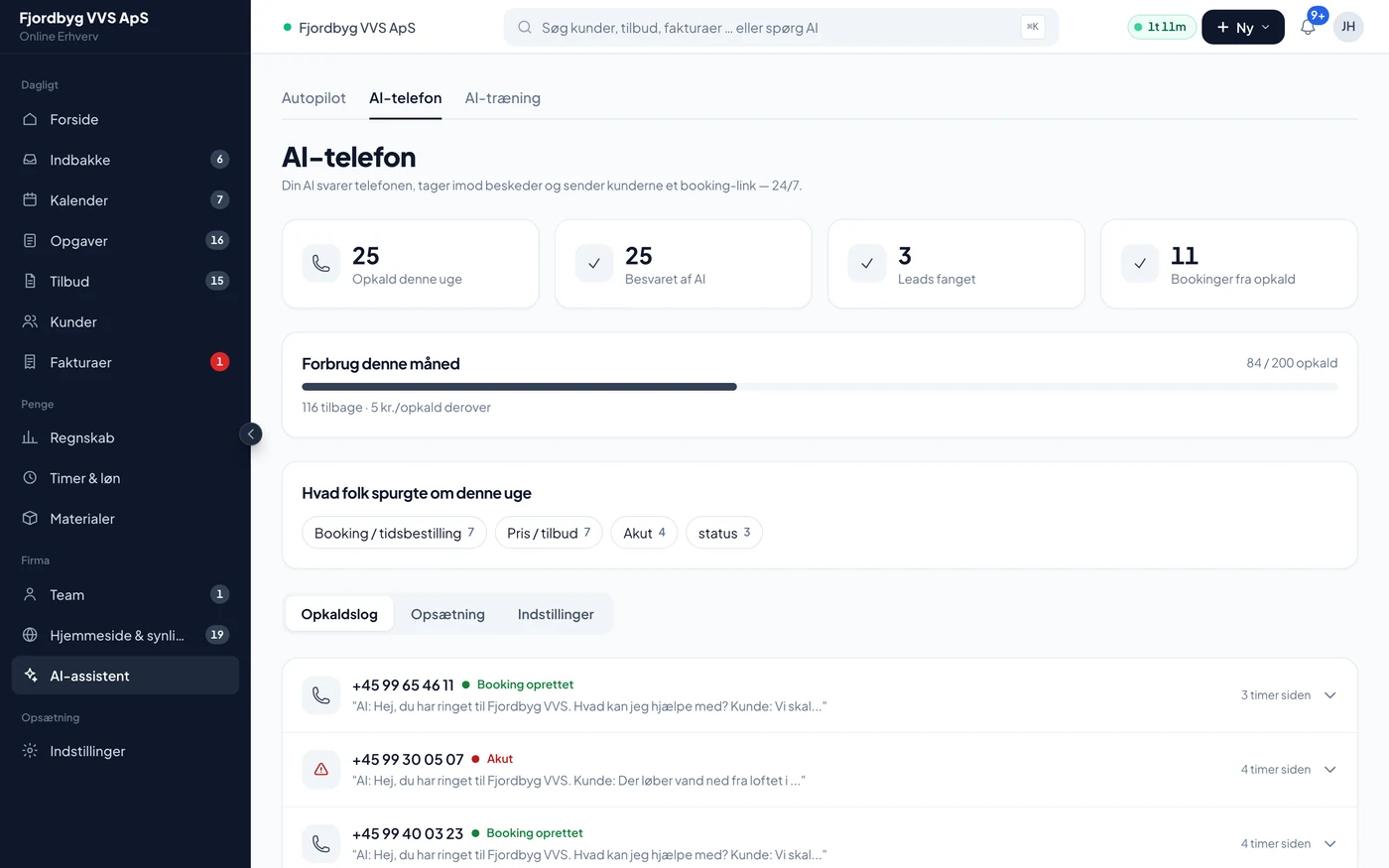
When you are up a ladder, an AI with a Danish voice answers the phone. It notes what the customer wants, sends a booking link by SMS, and you get a summary. If it is urgent, you are told straight away.
The AI phone is an add-on at 500 DKK/mo with 100 calls a month. The rest of the app is included in the price.
No customer calls in vain
Phone, chat and booking gather enquiries in one place, so you can follow up when your hands are free.
The AI phone takes the calls you miss
You keep your number. Calls you do not answer within 20 seconds go on to the AI. You can also choose to let it take all calls. It speaks Danish and knows your services and fixed prices.
- Your number
- Forwarding on unanswered calls, which you switch on and off yourself
- Me first
- Your mobile rings first, and the AI takes over after the time you choose
- Names
- You teach it to pronounce your company name and names correctly
What happens after the call
By default the AI sends the customer a booking link by SMS, so the customer picks a free time themselves, and takes a message. You get a summary by SMS, and the transcript is on the customer in the app. If you want it to book the time during the call, you switch that on.
- Default
- Booking link and message
- Can be switched on
- Booking during the call
- New customer
- Becomes an enquiry you can follow up on
Urgent is told apart from planned
Water in the basement, you hear about straight away by SMS. A quote for a bathroom can wait until tomorrow. If you would rather have urgent calls put straight through to you or an on-call number, you switch that on.
- Default
- An SMS to you on urgent calls
- Can be switched on
- Forwarding to you or an on-call number
- Trade words
- You can add the words that mean urgent in your trade
Chat on your website
The chat answers the questions you have written answers to, finds free times and creates bookings. If the customer does not book but has left their number, they get a friendly SMS after a quarter of an hour. You can switch that off.
- Booking
- Straight into your calendar in the app
- Lead
- One enquiry per conversation with the customer’s details
- Status
- The customer can ask about their booking or their quote
Online booking and site visits
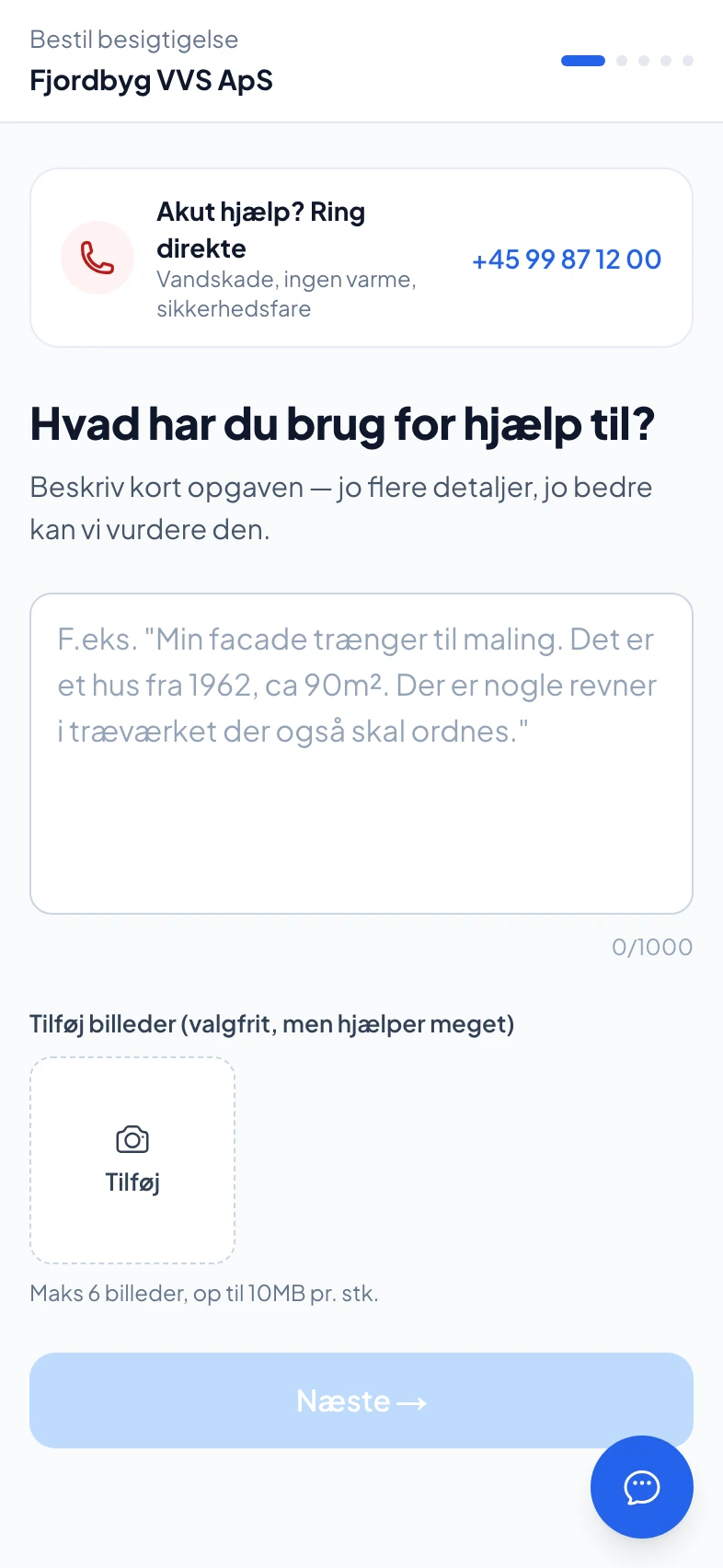
The customer picks a service and a free time on your booking page. For a site visit, the customer describes the job with photos and urgency and picks a day and a time window. The AI assesses the job type and roughly how many days it takes. The customer gets a confirmation by SMS.
- Free times
- Based on your opening hours and bookings
- Site visit
- Photos, urgency, day and time window
- Rebooking
- The customer can move a booking themselves within your free times
One inbox for everything
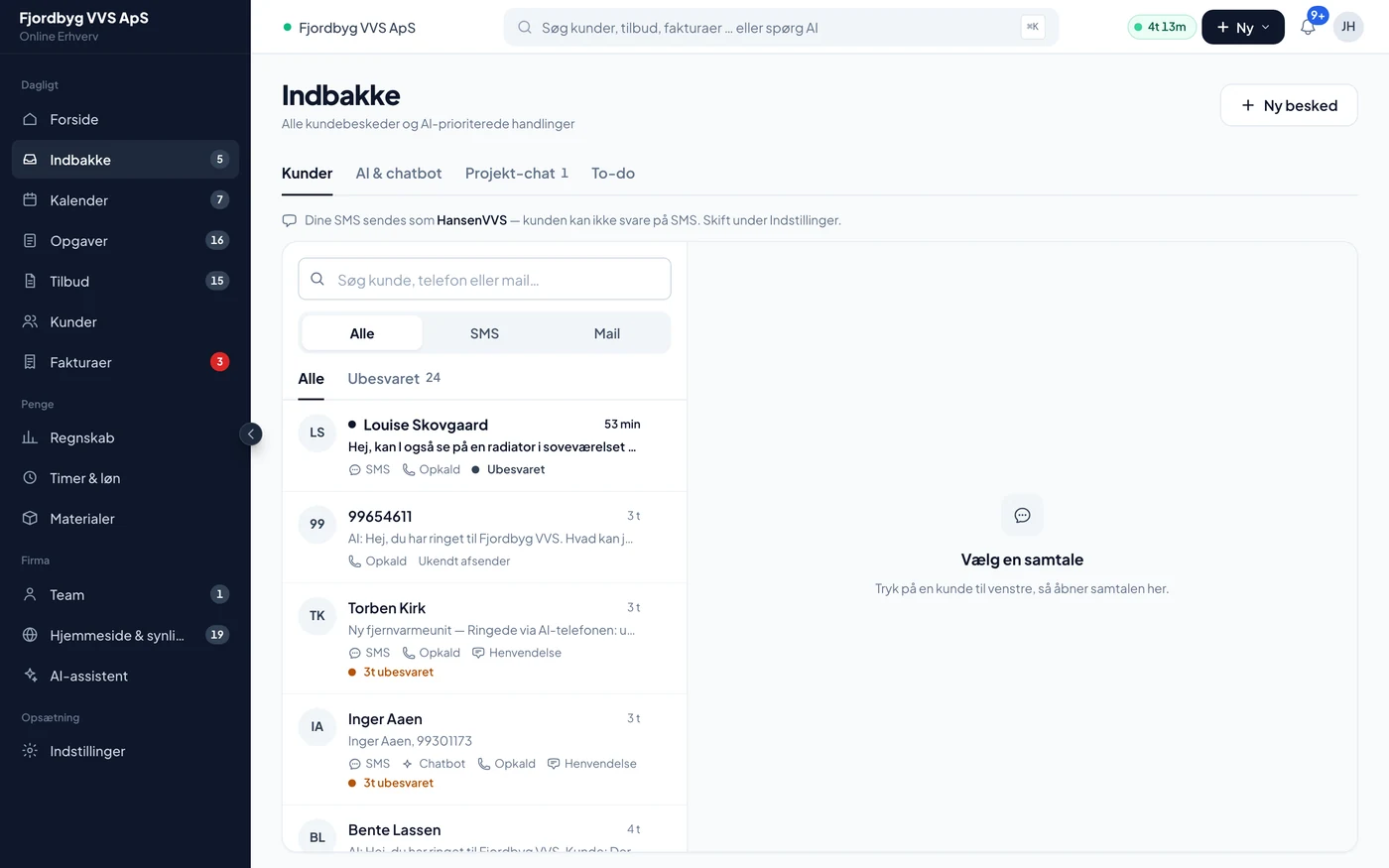
SMS, email, chat from the website, messages on projects and new enquiries are gathered in one place. On the customer you also see the calls. You connect your email with Outlook, IMAP or forwarding, and AI filters out adverts and writes suggested replies, which you approve.
- Channels
- SMS, email, chat, project messages and calls
- Quotes
- Make a draft quote straight from a message
How it works day to day
A morning when you are up a ladder in Valby.
- At 10.12The phone rings. You cannot get to it. After 20 seconds the AI answers.
- During the callThe customer wants a toilet replaced. The AI asks for the address and the job and sends a booking link by SMS.
- Right afterYou get a summary by SMS: who called, what it is about and what has been agreed.
- At 10.40The customer has picked a time. It is in your calendar.
- At 11.05Another customer has water in the basement. You get an SMS straight away and ring back.
- In the eveningA customer writes in the chat on your website and books a site visit themselves.
Also included
What makes the phone and the chat your own.
- Tone and nameChoose the tone, and give the AI a name.
- EnglishIf the customer speaks English, the AI switches language.
- Withheld numbersYou can reject calls from withheld numbers.
- SpamSales calls and spam are filtered out.
- Test callRing it yourself and hear how it sounds before you switch it on.
- Play back callsListen to the call again in the app.
- Chat on your own siteThe chat can be added to a website you already have.
- Ad leadsEnquiries from Facebook and Instagram ads land as leads.
- Prioritised listThe home screen shows which enquiries are most urgent.
What you can count on
What the AI may do, and what it does not do.
- It sends no quotesThe AI books and takes messages. It never sends quotes or invoices.
- No discountsIt only mentions the fixed prices from your service list, and only if you want it to.
- Transcripts are deletedThe call transcripts are deleted after 90 days. The database is in the EU.
- The customer gets throughCalls do not stop when the quota is used up. Extra calls cost 4 DKK each and go on your next bill.
Questions about the AI phone
If your question isn’t here, call 93 94 12 06.
Can I keep my number?
Yes. You switch on forwarding on your mobile, so calls you do not answer within 20 seconds go to the AI. You can switch it off again whenever you like.
Does the AI book the time itself?
By default it sends the customer a booking link by SMS, so the customer picks a free time themselves. If you want it to book during the call, you switch that on in the settings.
What happens with urgent calls?
You get an SMS straight away. If you would rather have urgent calls put straight through to you or an on-call number, you can switch that on.
What does the AI phone cost?
The AI phone is an add-on at 500 DKK/mo with 100 calls a month. The rest of the app is included in the price. Extra calls over the quota cost 4 DKK each. All prices are excl. VAT.
Can I try the AI phone during the trial?
Try the AI phone with 25 free calls during the trial.
How long are calls kept?
The transcripts are deleted after 90 days. The time and length of the call are kept for 12 months.
Can the chat be used on my current website?
Yes. You add a small piece of code to your site, and it shows the chat. If you use the website from the app, the chat is already there.
Which email accounts can I connect to the inbox?
Outlook, an email account with IMAP, or you forward your email. Gmail works via IMAP or forwarding.