Subcontractors with the paperwork in order
The electrician, painter or drainage contractor gets a link to the job. From there he reports hours, photos and extra work. You have CVR, insurance and settlement together on the job.
Everything is included in the price. The subcontractor needs no login or app.
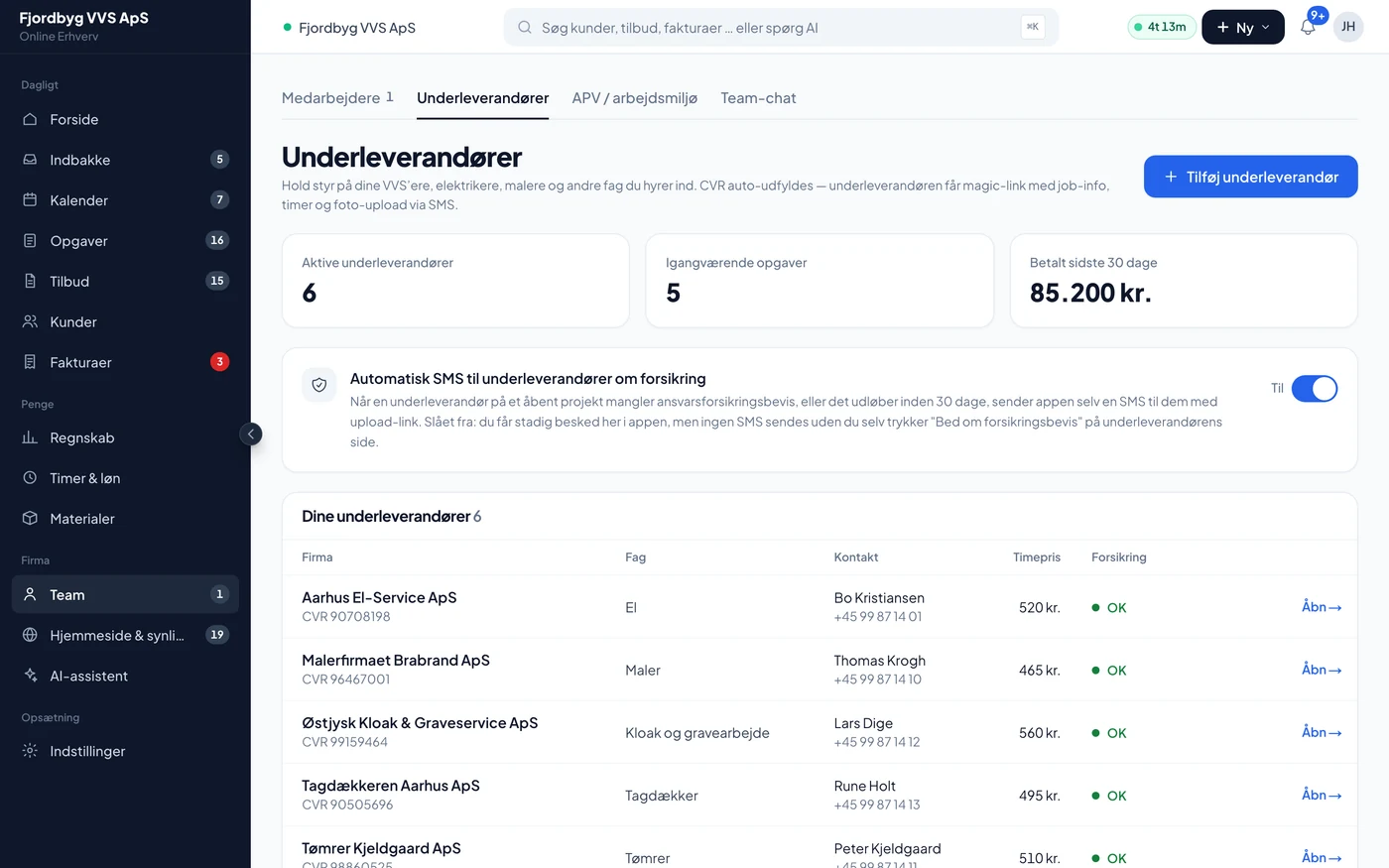
One card per subcontractor
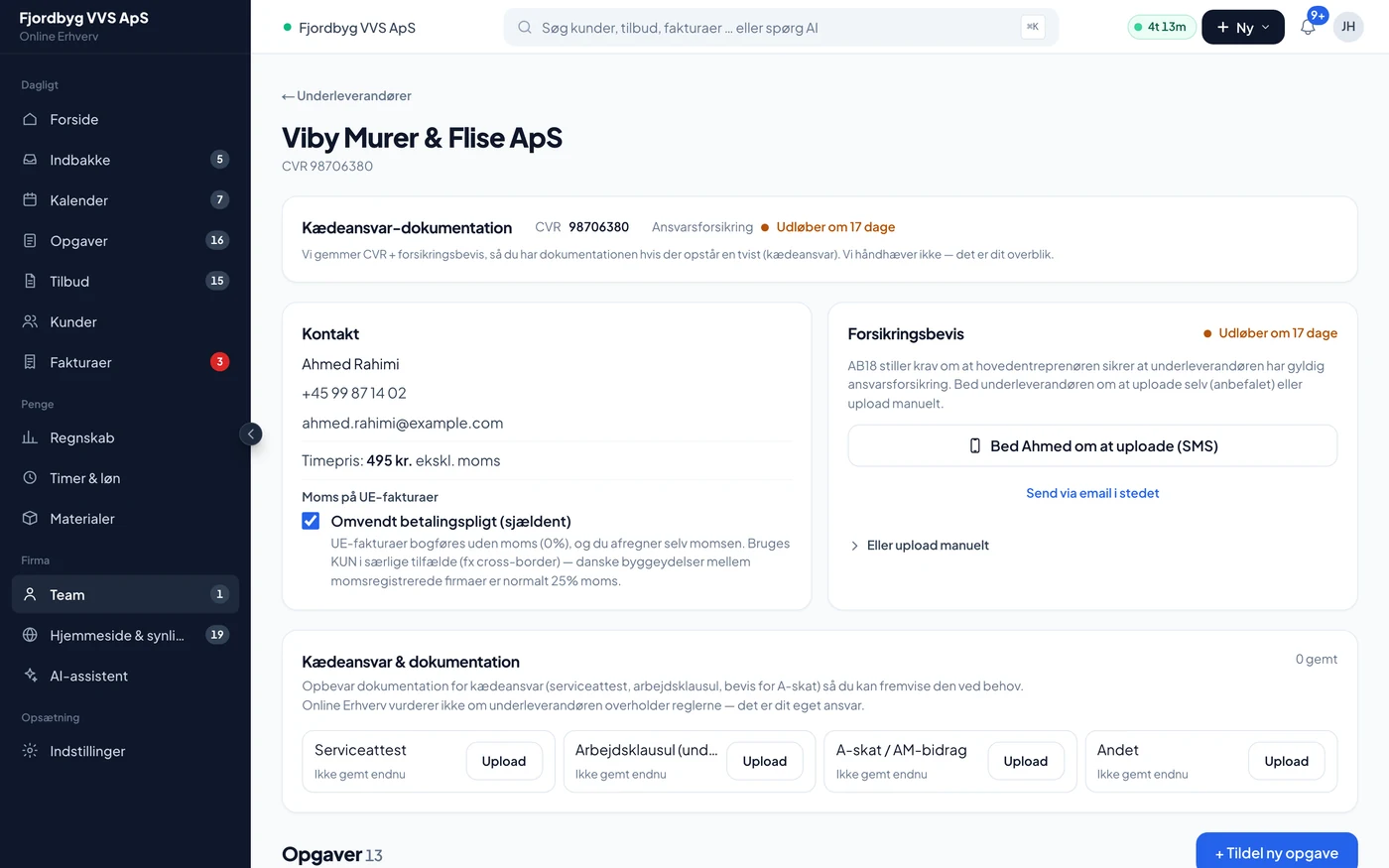
Everything about the firm sits in one place: contact, hourly rate, insurance, VAT and the documents you need to be able to show.
CVR, insurance and paperwork on one card
Type the CVR number and the app fetches the company name and address. The subcontractor uploads his own insurance certificate via a link, and the AI reads the expiry date. Service certificate, labour clause and withholding tax papers are kept on the same card.
- CVR
- Name and address are filled in from the Danish business register
- Hourly rate
- A standard rate per subcontractor, or a separate price on a single job
- Insurance
- An SMS to the subcontractor 30 days before the certificate expires. You are told if it has expired
- Chain liability
- An archive for service certificate, labour clause and withholding tax documents, so you can find them when you need them
- VAT
- A tick box for reverse charge. It is rarely used, for example with a foreign firm
From assignment to final settlement
This is what a job looks like when a subcontractor is involved.
- You assign the workOn the job or on a phase of the project. Enter the scope, date and agreed price or hourly rate.
- He gets a link by SMSThe link shows only his job: address, time and what needs doing. You can also copy the link and send it yourself.
- Hours and photosHe starts and stops the clock and takes photos along the way. It lands on the job for you.
- Extra workHe describes it with an amount and a photo. You approve or reject it, and only approved work can be invoiced.
- On-account along the wayWith an agreed price he can request an instalment. The instalments can never exceed the agreed price plus approved extra work.
- Completion and final settlementHe reports the job done and can attach his own invoice. The final settlement covers only what is left.
What the subcontractor can do via the link
No account, no password. He opens the link on his phone and gets going.
- See the jobAddress, time, scope and agreed price.
- ConfirmYou can see that he has seen the job and said yes.
- Time trackingStart and stop. The hours count in the settlement when he works by the hour.
- PhotosDuring the work, when it is finished, and of materials.
- Extra workDescription, amount and photo for your approval.
- His own invoiceHe can attach his invoice as a PDF, so it sits with the job.
What you can count on
And what the app does not do for you.
- Nothing is booked behind your backOn-account instalments and the final settlement arrive as purchase entries you approve under Accounting before they go any further.
- You can send the work backIf you reject a completion, the job reopens and he gets an SMS with your reason. Paid instalments stay as they are.
- The margin adds upWhat you owe the subcontractor counts in the job’s contribution margin.
- We do not assess the papersThe app stores the chain liability documents but does not say whether the subcontractor follows the rules. That responsibility is yours.
- Only you see the pricesSubcontractors and their prices are for the owner. Your employees do not see them.
Questions about subcontractors
If your question isn’t here, call 93 94 12 06.
Does the subcontractor have to pay or sign up?
No. He gets a link to his job and uses it in his phone’s browser. He needs no login, app or subscription.
Do subcontractors cost extra?
No. The module is included in the price, and the subcontractor has no login of his own, so he does not count as a person.
How does on-account work?
If you have agreed a fixed price, the subcontractor can request an instalment via the link. The instalment becomes a purchase entry you approve. When he reports the job done, the final settlement covers only the rest, so nothing is paid twice.
Does the app keep track of his insurance?
Yes. He uploads the certificate via a link, and the AI reads the expiry date. 30 days before it expires he gets an SMS with a link to upload a new one. If it has expired, you are told in the app. If you do not want the app to send SMS by itself, you can turn it off.
Does the app make sure I comply with chain liability rules?
No. The app gives you a place to keep the service certificate, labour clause and withholding tax papers for each subcontractor, so you can show them. Whether the rules are followed is not something the app assesses.
What about reverse charge VAT?
You can tick it per subcontractor, so his purchase entries are booked without VAT. It is rarely used: Danish building firms with a VAT number normally invoice with 25 % VAT. If in doubt, ask your accountant, or call 93 94 12 06.